
Who can use this?
✓ Students and Teachers.
✓ Some of the tools mentioned in this guide may require a paid plan to use.
Looking to change the language used in areas like the Kami dashboard, menus, and toolbars? Refer to this guide for further assistance.
Language support in Kami
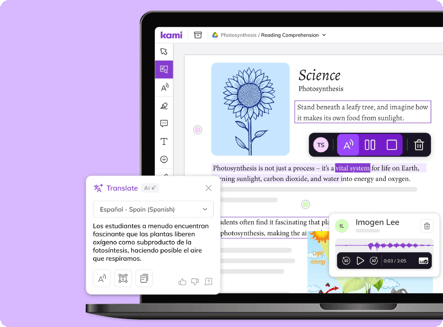
With Kami’s built-in language tools, multilingual learners can work in their preferred language or use another supported language to suit the task.
By bringing language support into their assignments, Kami lets students explore unfamiliar content, build vocabulary, and strengthen reading skills— all without leaving the lesson.
Which Kami tools/features can you change the language of?
Several Kami tools, views, and features include a language setting that lets you see the tool output in your preferred language. These include:
- Understand tools— including Dictionary, Picture Dictionary, Translate, Explain, and Summarize.
- Read aloud— including both Standard and Natural voices.
- Voice typing
- Predictive text
- Generate feedback
- Question
- Youtube captions
- Split and merge
In addition to the tools mentioned above, you can change your Kami display language setting, which controls the language used in areas like the Kami dashboard, toolbars, and menus throughout the app.
For steps and assistance with this, refer to this guide.
Which languages does Kami support?
Kami supports more than 100 languages, with availability varying by tool and feature. Select a language in the table below to see which specific Kami tools and features support it.
You can also add additional languages via your browser or operating system. For assistance, refer to the following guides: