
Who is this for?
✓ Kami License Administrators.
Managing Feature Permissions
Feature permissions are set per role in the Kami license dashboard, through the Feature Permissions tab.
User roles
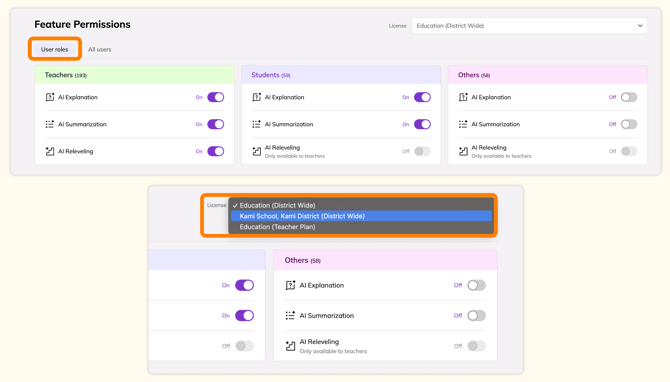
This section lists all Kami user roles (Teachers, Students, and Others) and includes toggles to disable specific features for each role.
In the top right, you will see a dropdown option to select which license you are managing feature permissions for.
Simply toggle the tools you want on or off for each role, and the changes will apply immediately.
All Users
This section will show all users under the currently selected license, so you can manage their permissions individually.
Select the vertical ellipsis button (three dots) to manage that specific user's feature permissions.
-png.png?width=670&height=427&name=image%2071%20(1)-png.png)