Who is this for?
✓ The Kami extension is recommended for all Kami users.
✓ Can be installed by anyone using the Google Chrome browser.
✓ This is a free extension; users on any Kami plan can use this.
To ensure you have access to all the latest changes and features, make sure to keep your extension up to date after installing. Learn more about the latest version and how to update.
What is the Kami extension?
Our Google Chrome extension allows you to experience the power of Kami in one click. It’s totally free, provides a seamless experience, and is the quickest way to access our 40+ tools and features.
Extension benefits
-
Access on demand — The Kami extension is compatible with Chromebooks and is available for both teachers and students, so everyone is just a click away from adding Kami-magic, everyday.
-
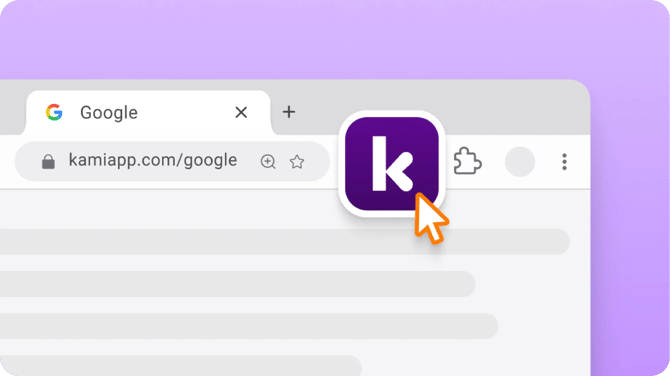
Open with Kami button — Once you’ve downloaded our latest extension, a Kami icon will appear in the upper-right corner of every Google doc, slide, or sheet. Now it’s even easier to open resources straight into Kami!
-
Integrations made easy — Get the most out of our LMS integrations with the extension. Plus, get access to advanced Google Classroom features like Class View and Publish Changes.
Adding the Kami extension
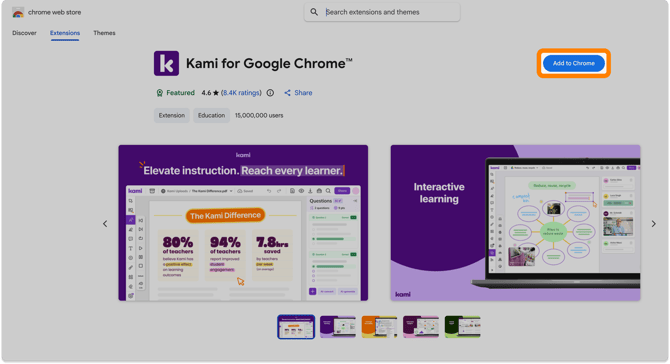
Installing is easy! Just head to Kami's Chrome Web Store page and click the Add to Chrome button.
Pinning the Kami extension
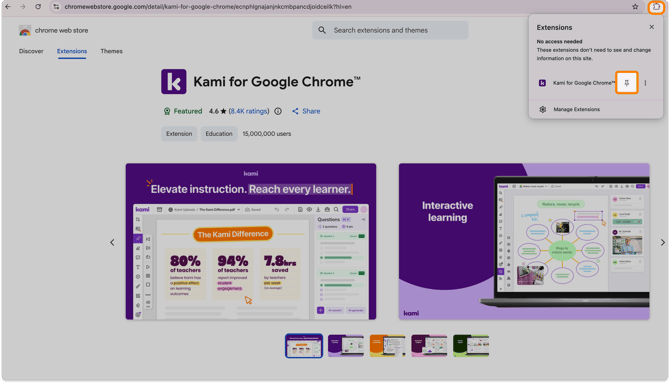
Once the extension has been installed, don’t forget to pin it in your Chrome browser for quicker access!
To pin your Kami extension, click the Extensions button (puzzle piece icon) in Chrome, then click the Pin button next to Kami for Google Chrome™.
Using the Kami extension
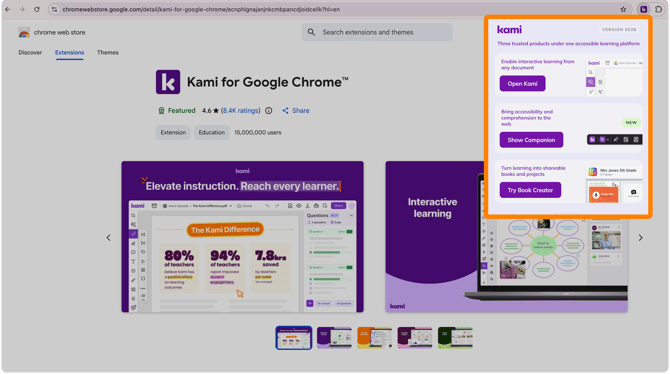
After installing and pinning, the Kami extension will now appear next to your extension button in Chrome.
Clicking the Kami extension opens a drop-down menu where you can easily access the Kami app or any apps in the Kami product suite.