
Who can use this?
✓ Students and Teachers.
✓ This is a free feature; users on any Kami plan can use this tool.
What is the Signature tool?
The Signature tool lets you quickly and easily add your signature to a document.
Whether you’re uploading an image of your signature or signing directly on your device, Kami helps you complete forms and agreements in just a few clicks. You can even add a date and time stamp for added accuracy and record-keeping.
How to use the Signature tool
The Signature tool is found at the bottom of your toolbar. Hover over it to see recent signatures you've used, if any.
Then, just click (1) and drag them onto the document (2).
%20(1)-png-May-14-2026-03-20-38-1448-AM.png?width=670&height=309&name=Screenshot%20Template%20(Insert%20image)%20(1)-png-May-14-2026-03-20-38-1448-AM.png)
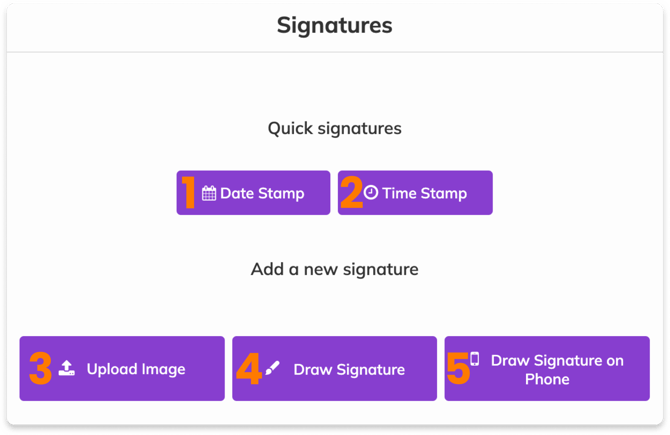
Otherwise, click on the Signature tool to open the Signature menu, where you'll be presented with more options:
-
Date Stamp — Adds today's date in a text box to be placed on your document.
-
Time Stamp — Adds the current time in a text box to be placed on your document.
-
Upload Image — Upload a PNG or JPEG image.
-
Draw Signature — Draw a new signature to place on the document (similar to the Drawing tool).
-
Draw Signature on Phone — Generates a link and QR code for you to use a touchscreen device to draw a signature. The link is available for 1 hour.