Who is this for?
✓ Teachers using Microsoft Teams.
Duplicating your assignments
In Microsoft Teams, you can make your assignment creation workflow even simpler by reusing your Kami assignments across your classes.
1. Navigate to the assignment you want to duplicate and click on the three dots on the right-hand side of the assignment. This will give you a menu to select Duplicate.
%20(4)-png-May-25-2026-09-32-13-8382-PM.png?width=670&height=323&name=Screenshot%20Template%20(Insert%20image)%20(4)-png-May-25-2026-09-32-13-8382-PM.png)
2. After selecting Duplicate, a list of your other classes will appear. Select the team you want to duplicate the assignment to, then select Next.%20(1)-png-May-25-2026-09-36-38-5210-PM.png?width=670&height=651&name=Screenshot%20Template%20(Insert%20image)%20(1)-png-May-25-2026-09-36-38-5210-PM.png)
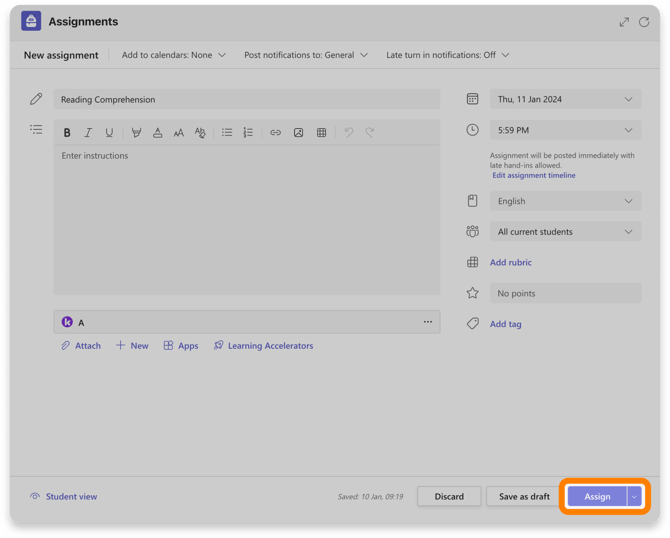
3. On the next page, you can set/change the assignment details. When finished, just select the Assign button to share it with your students.