
Who is this for?
✓ Teachers creating Kami assignments through an LMS.
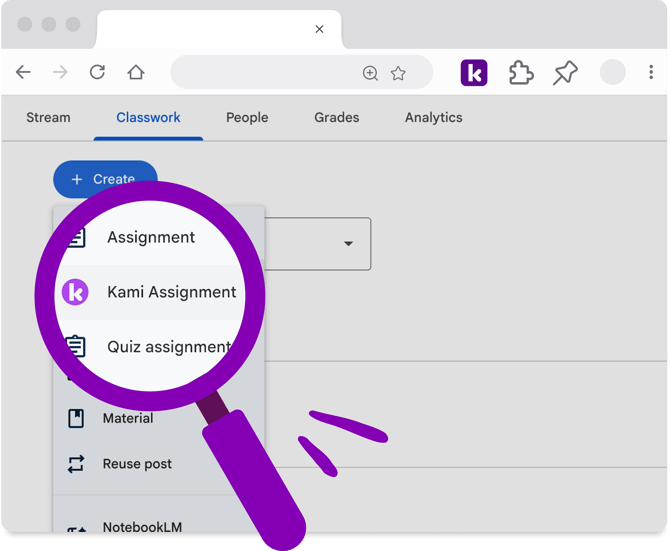
Missing the Kami assignment button?
In order to have the Kami Assignment option available when creating an assignment in your LMS, the Kami extension must be installed and enabled on your Chrome or Edge browser.
To check if this is installed and enabled, select the Extension icon (🧩) in your browser toolbar, then select Manage Extensions.
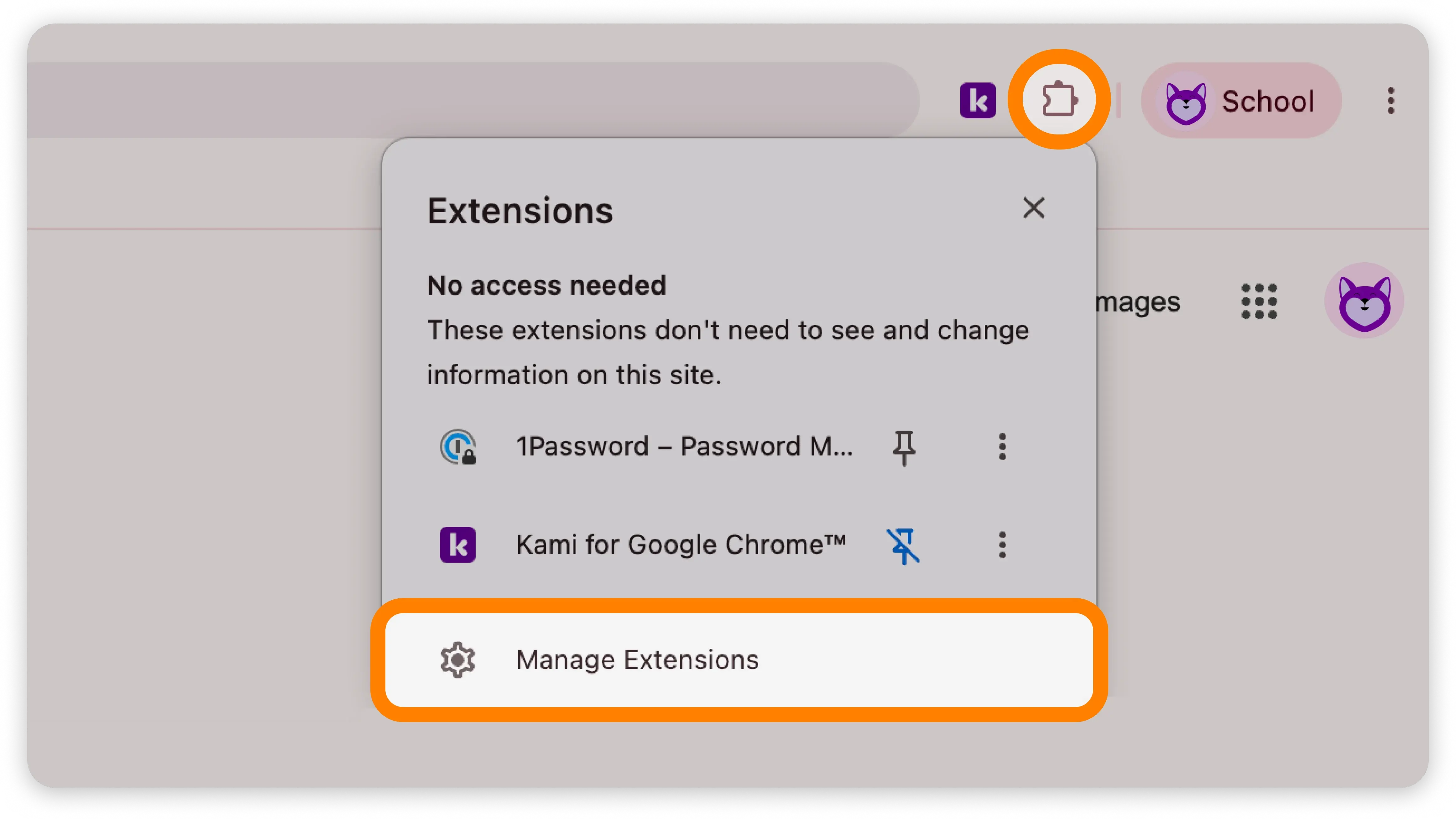
On the Extensions dashboard that opens, you'll see all of your currently installed extensions. Confirm that Kami is listed here, and is toggled on.
%20(1)-png-Jun-04-2026-01-48-33-3798-AM.png?width=670&height=215&name=Screenshot%20Template%20(Insert%20image)%20(1)-png-Jun-04-2026-01-48-33-3798-AM.png)
If the Kami extension is not shown here, refer to the guides below for quick steps on how to install:
If your browser is managed by your school/domain, you may need to contact your IT Admin to have this installed for you.